
1. Tổng quan
Mục đích: Bài viết hướng dẫn cách xử lý lỗi khi cài đặt phần mềm The .NET Framework 4.8.
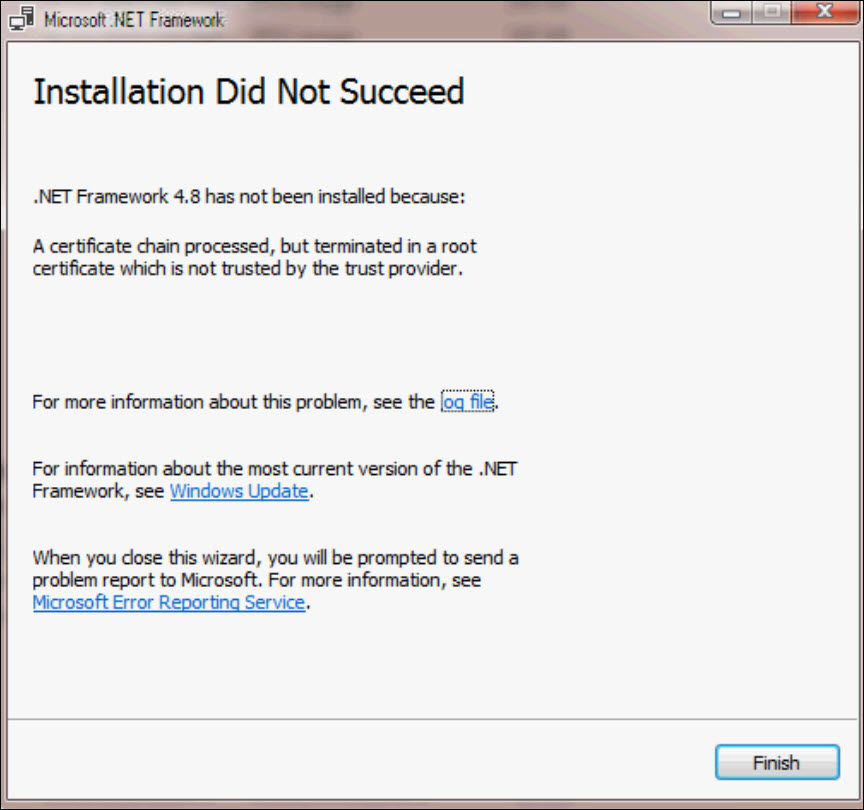
Biểu hiện: Phần mềm hiển thị cảnh báo lỗi khi cài đặt .NET Framework 4.8.
Nội dung: Các bước xử lý
Phạm vi áp dụng: Kế toán, Kế toán trưởng
2. Các bước xử lý
Bước 1: Tải file hỗ trợ sửa lỗi MicrosoftRootCertificate tại link dưới đây:
https://drive.google.com/file/d/1u-RwMncY7McUu6G3a5g7Wg7MFO5X3IIU/view?usp=sharing
Bước 2: Chuột phải vào file vừa tải về chọn Install Certificate.
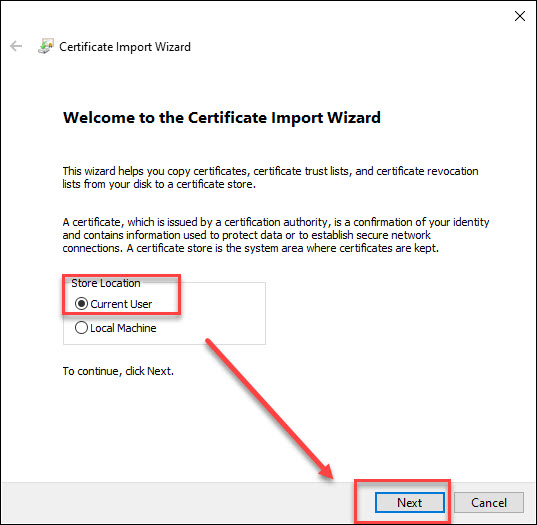
Bước 3: Tích chọn Current User nhấn Next.
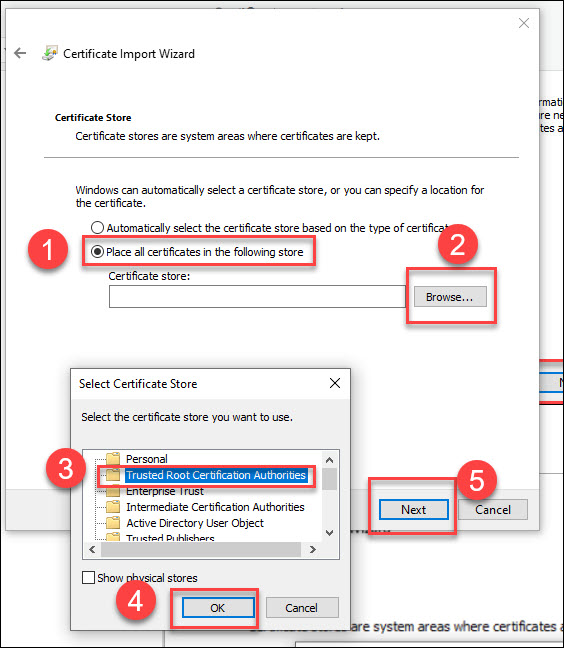
Bước 4: Chọn Place all certificates in the following store, nhấn Browse, chọn Trusted root certificate Authorities, nhấn OK và chọn Next.
Bước 5: Nhấn Next rồi chọn Finish.
Bước 6: Nếu máy hiện cảnh báo, chọn YES rồi sau đó OK để hoàn tất quá trình thêm certificate.
Bước 7: Sau khi hoàn tất, tiến hành cài lại .Net Framework.




 024 3795 9595
 https://www.misa.vn/